
Product Report
Product Report
Snapless is an iOS-native utility that transforms a user's screenshot library from an unmanaged digital landfill into an intelligent, self-maintaining archive.
The app automatically detects every screenshot a user takes, reads it with on-device OCR, classifies it by content type using Apple's Vision framework, assigns a context-aware expiration timer, and organizes it into smart collections — all without a server, subscription, or manual effort.
By combining automated lifecycle management (expiration + auto-delete) with deep content intelligence (full-text search, source URL recovery), Snapless solves both the accumulation disorder and the retrieval failure of modern screenshot behavior.
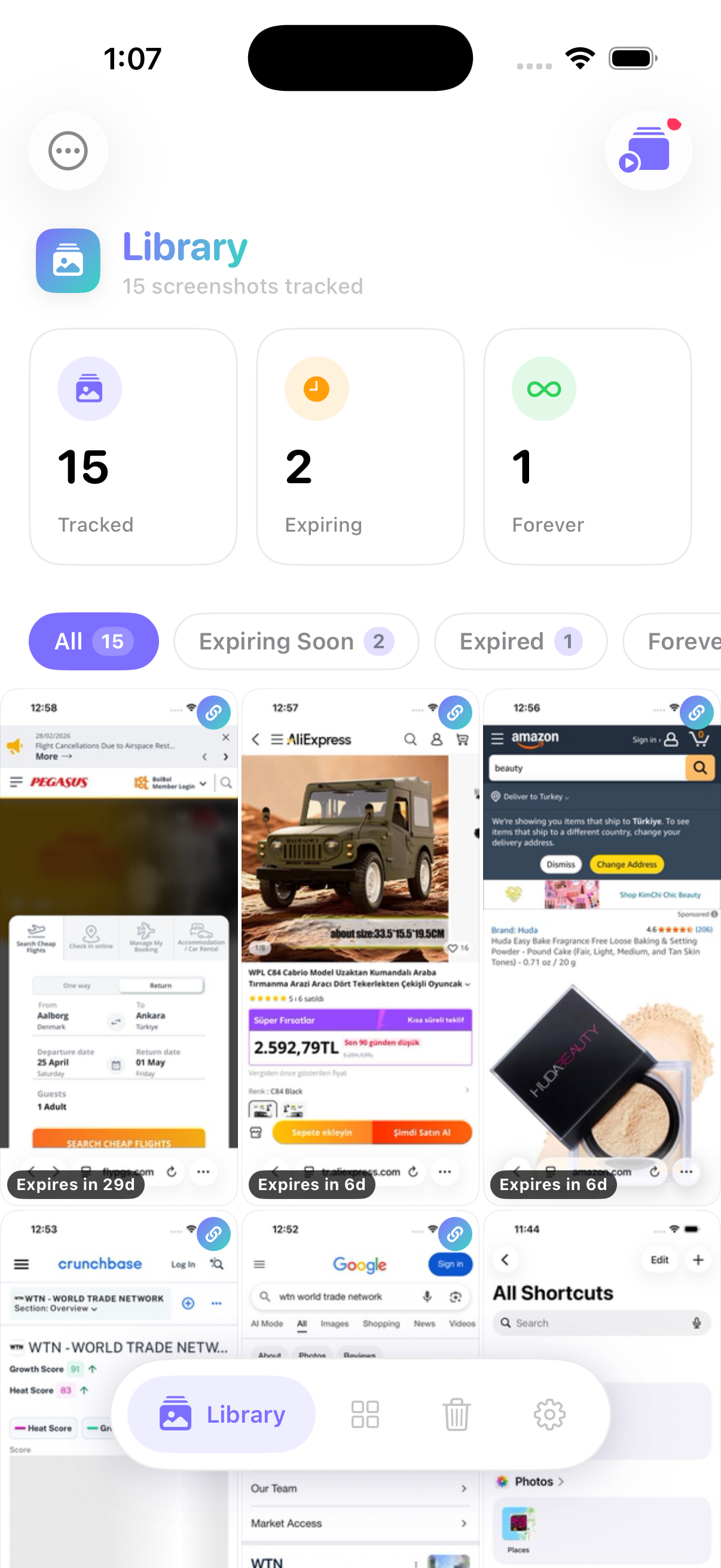
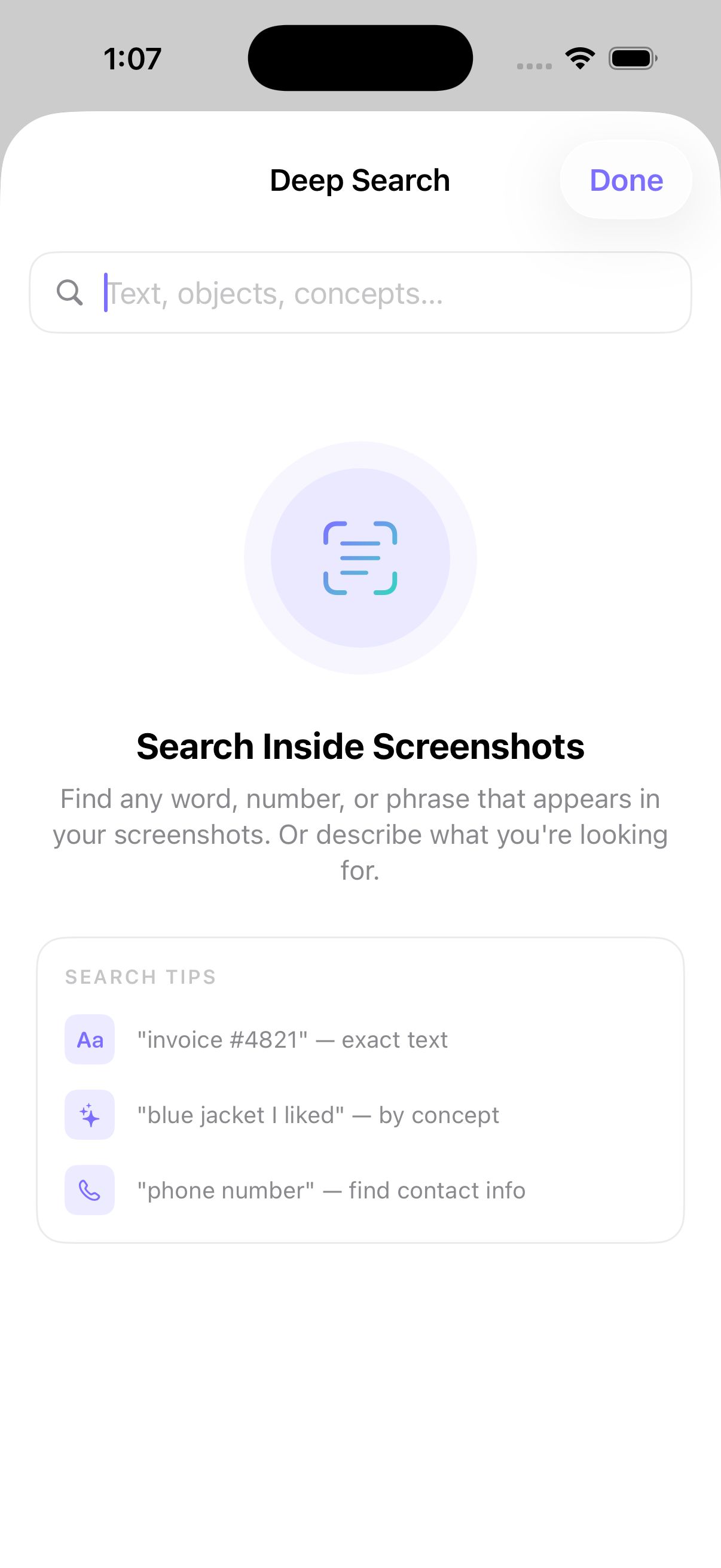
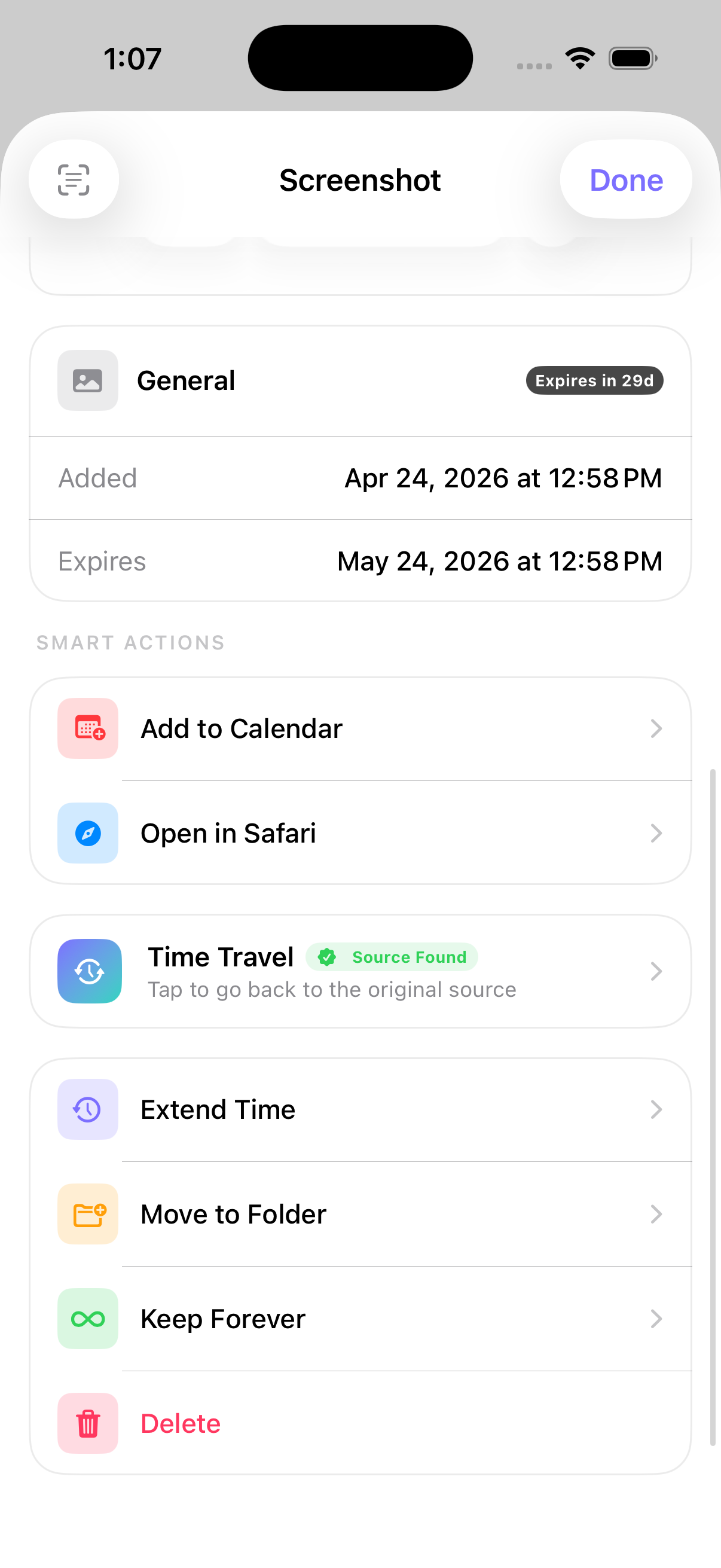
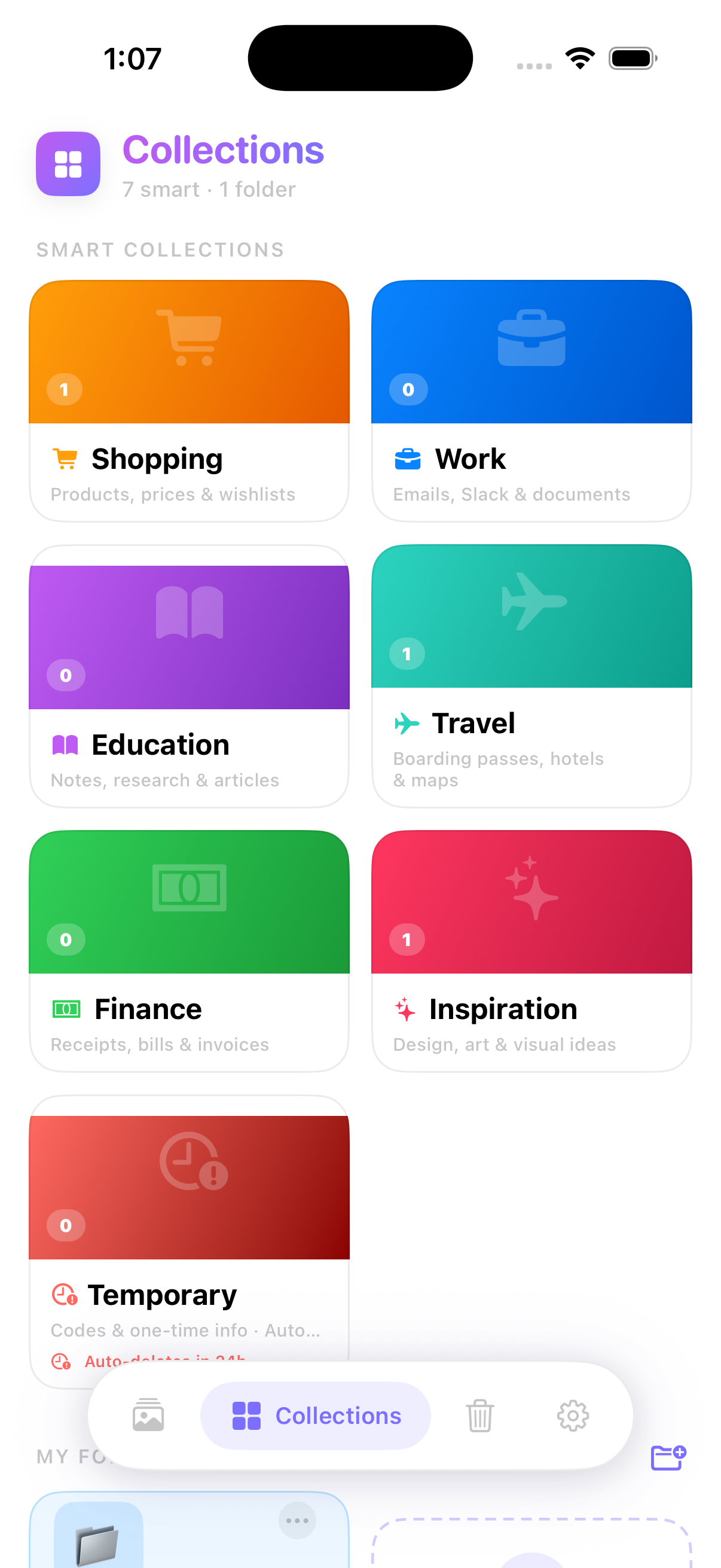
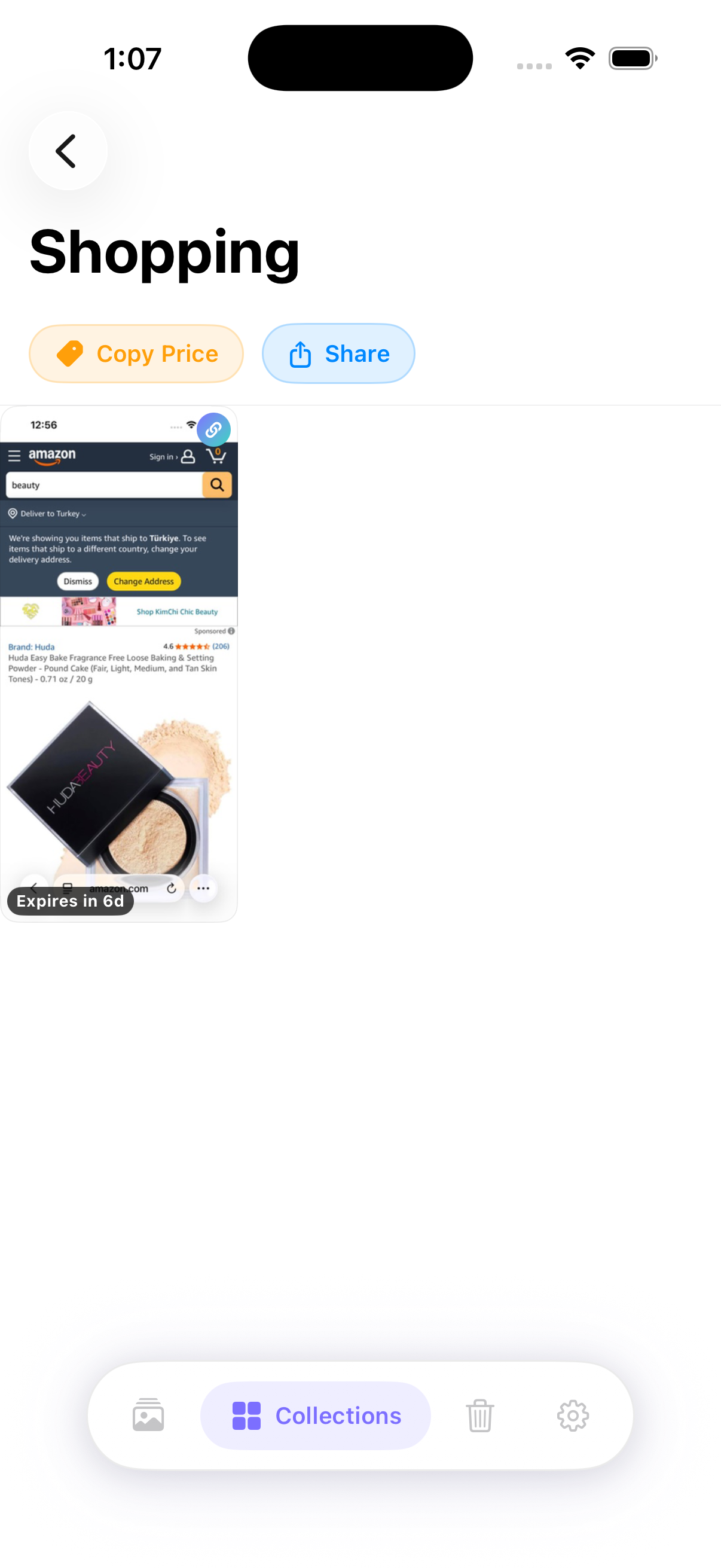
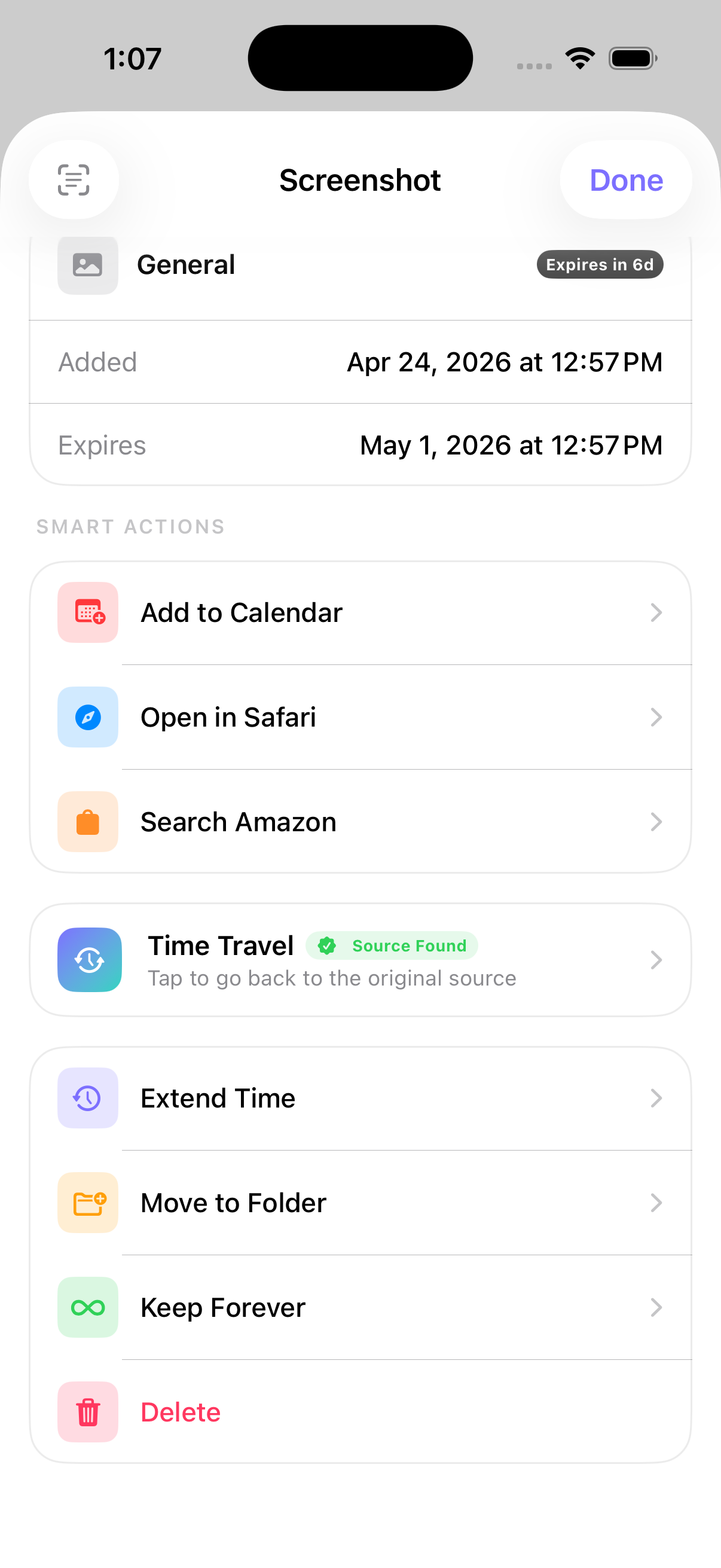
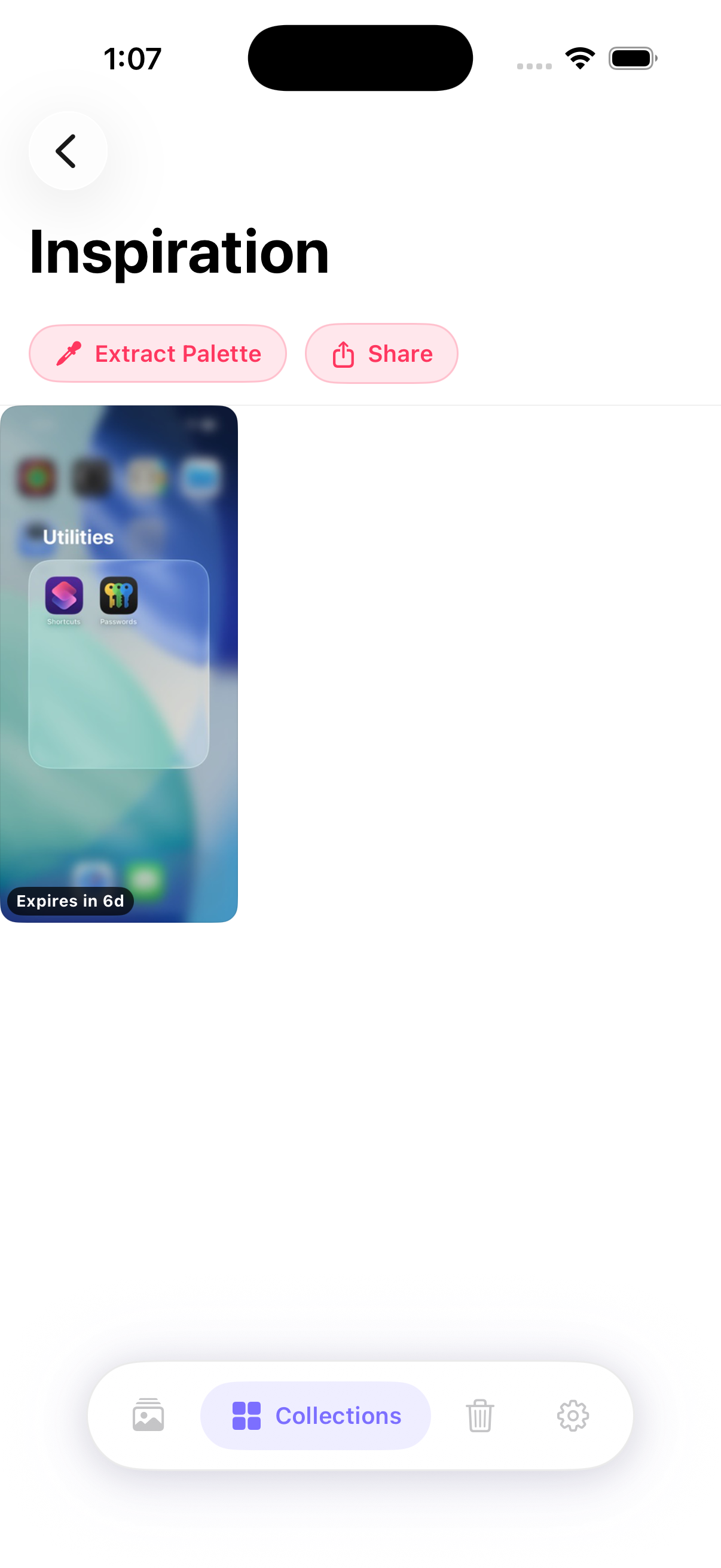
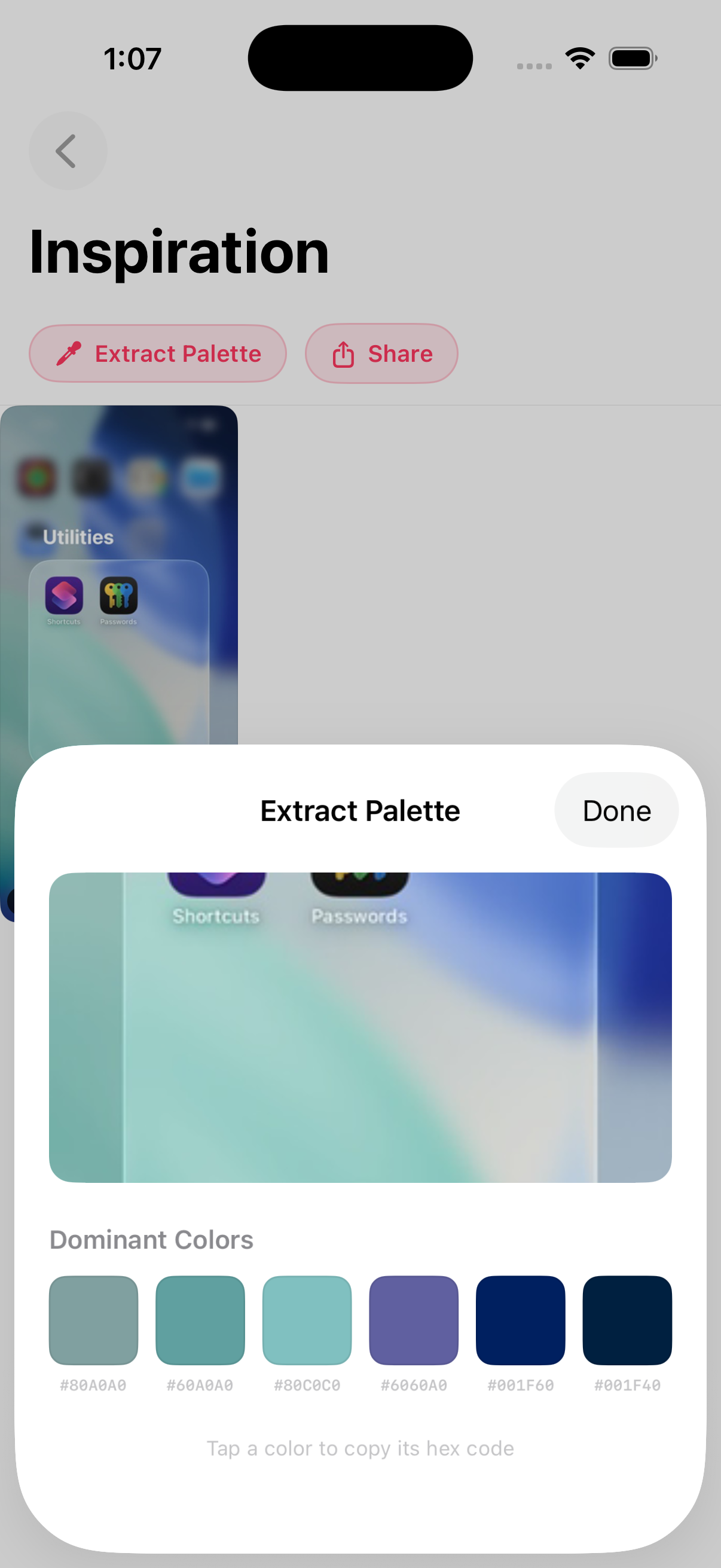
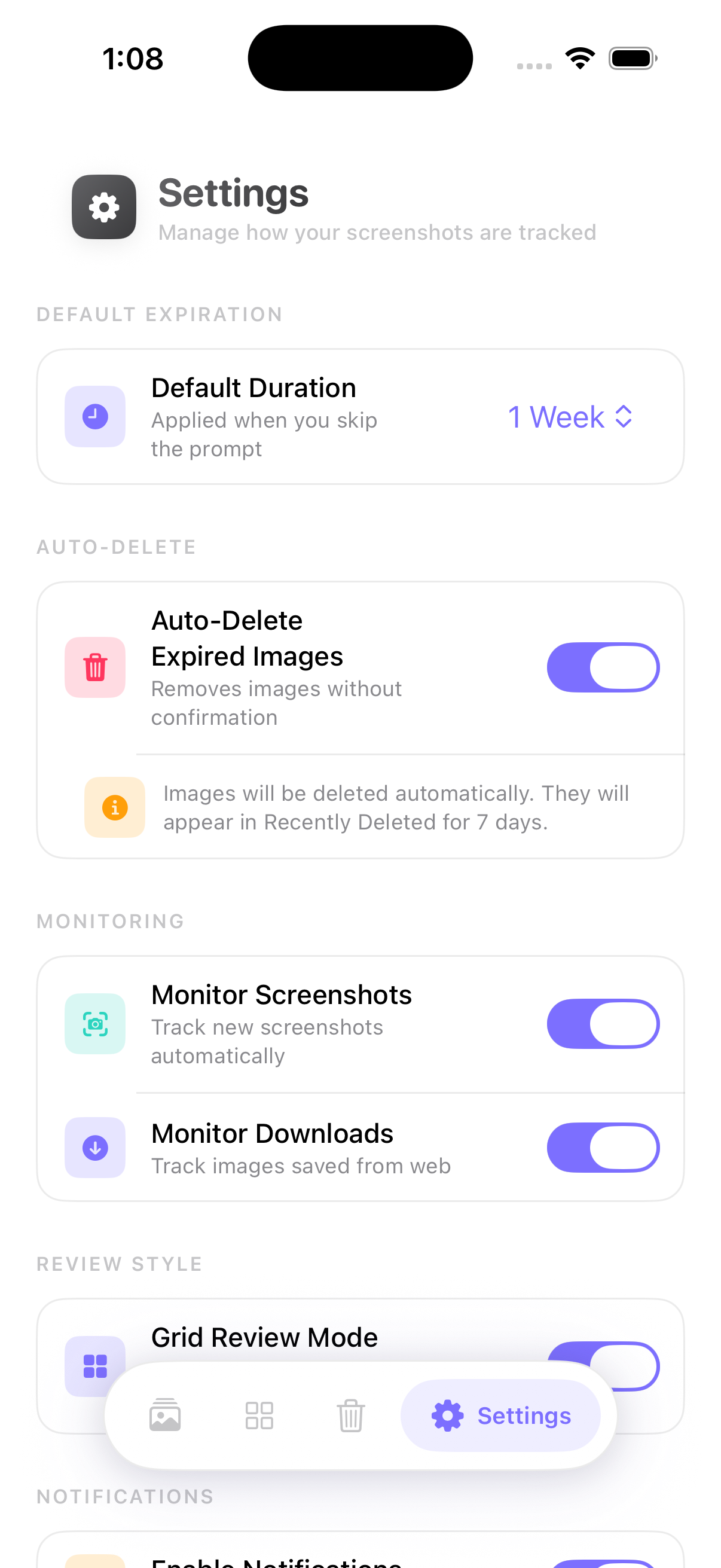
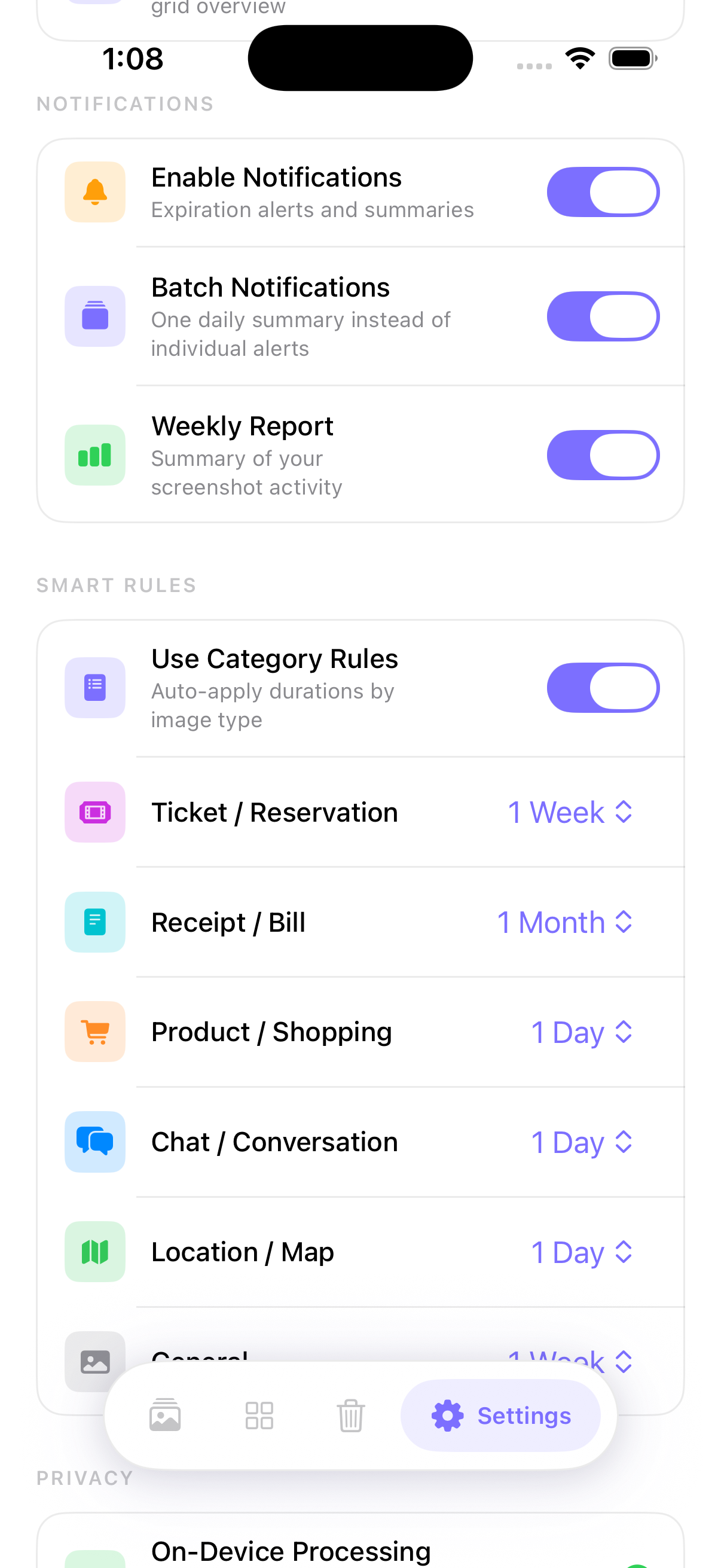
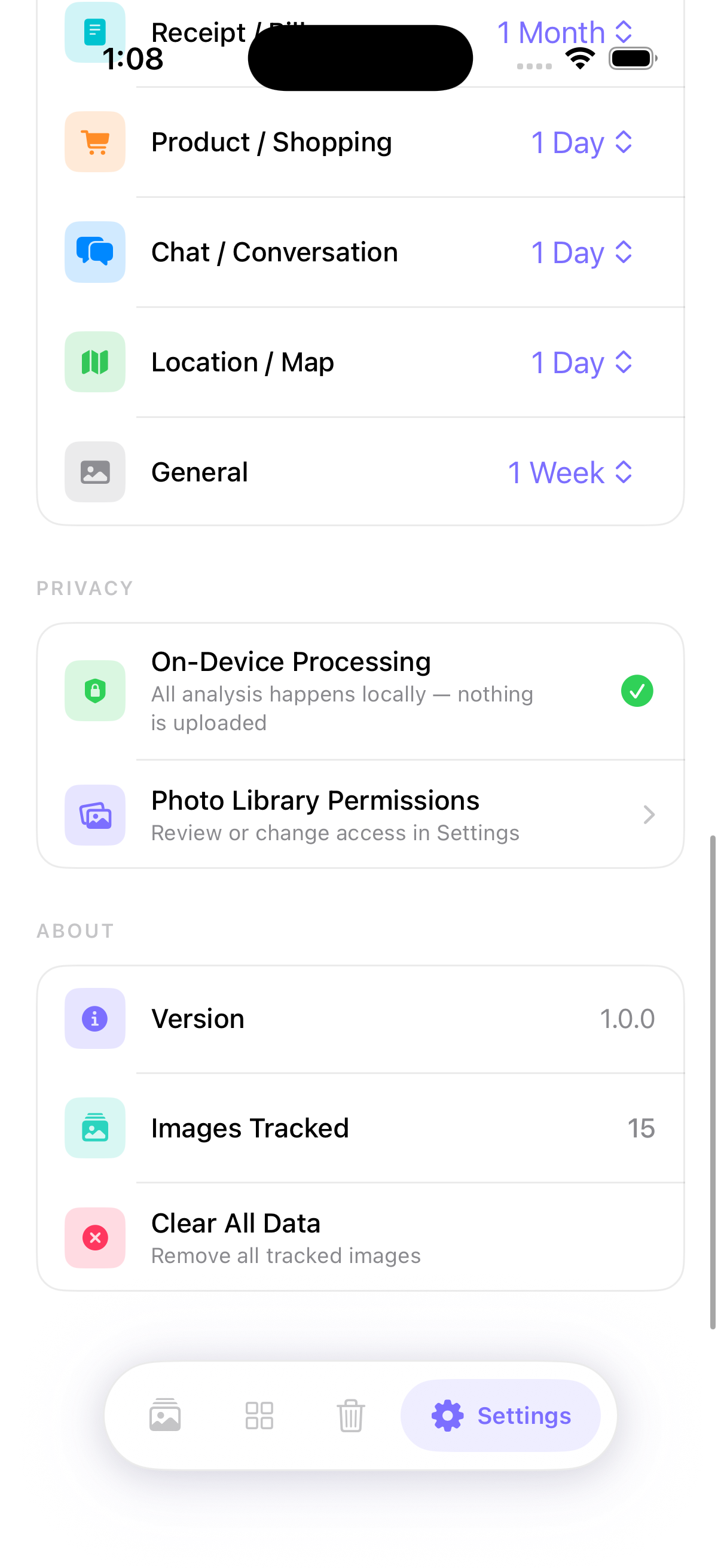
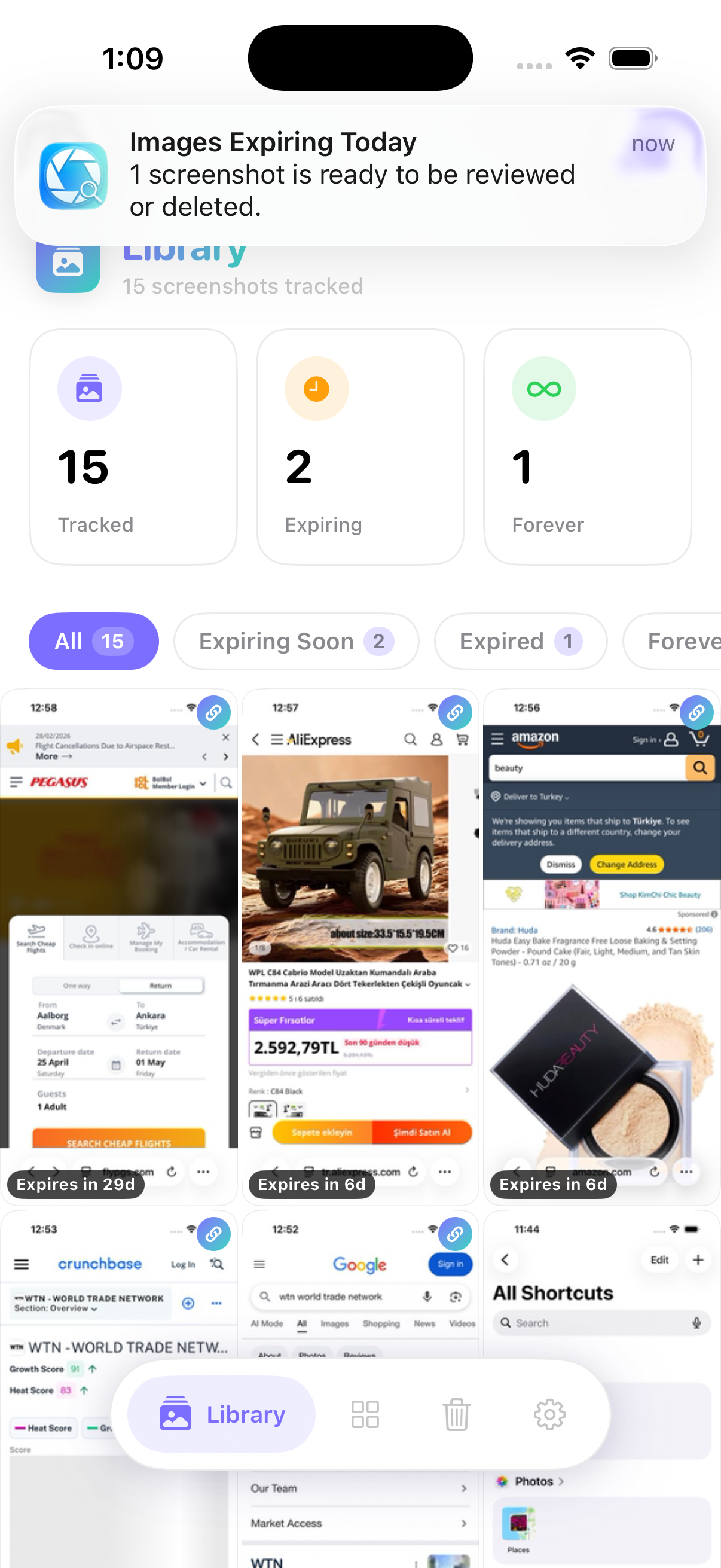
← Drag to explore the interface →
Screenshots are one of the most-used but least-managed features on a smartphone. The average user takes 10–20 screenshots per week, resulting in 500–1,000 images annually that pollute the camera roll.
Recall fails, and privacy risks emerge as sensitive documents like receipts and OTP codes sit indefinitely in plaintext-accessible storage, often backed up to the cloud without a secondary layer of protection.
Invisible pipeline that monitors the iOS library in real time. No manual import required. Snapless assumes the user will forget, and builds accordingly.
Every screenshot is processed through Apple's Vision framework to extract text and classify content into categories like Tickets, Receipts, and Chat. Everything stays on the device.
Structurally novel lifecycle management. AI suggests timers (1h, 24h, 1w) based on content. An OTP expires in an hour; a boarding pass expires after travel. This makes the library self-maintaining.
Snapless extracts source URLs from screenshots. "Take Me Back" opens the original content in the native app or Safari with one tap. It even archives webpages as PDFs if the source is deleted.
| Feature | Snapless | Apple Photos | Google Photos |
|---|---|---|---|
| Auto-Detection | Yes | Mixed | Mixed |
| Expiration Timers | Yes | No | No |
| On-Device OCR | Yes | Partial | No (Cloud) |
| Source Deep-Linking | Yes | No | No |
| Smart Actions | Yes | No | No |
Power users with 2,000+ photos, struggling with "storage anxiety" and failed retrieval of important information lost in the scroll.
Users handling sensitive data (medical/financial) who need automatic expiry and zero-cloud processing.